Just a quick note to announce the release of Minitube 2.8. In this released I focused on improving the overall quality of the application by fixing small bugs and defects. Enjoy!
PS. Tomorrow I’m leaving for my usual mountain camping in Abruzzo, only leave kind comments!
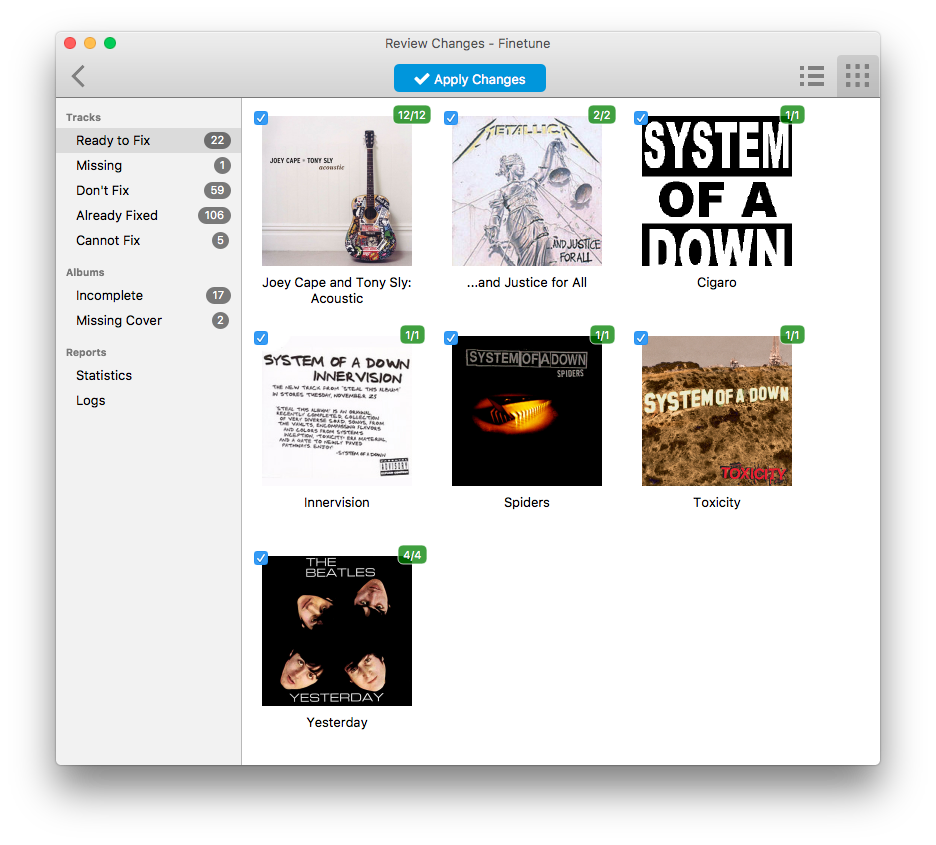
Finetune 1.3 fixes a number of stability issues and sports some minor visual style tweaks. Enjoy!

Hi all, a new Minitube version is ready. This time I focused on a number visual style improvements. The main toolbar with the media controls is only shown when viewing videos and doesn’t clutter other views.
On macOS I fixed an annoying bug with sidebar resizing.
On Windows and Linux the menu bar can now be hidden by pressing ALT.
On Linux I dropped custom styling for sliders, icons and the tab bar so Minitube will closely follow your system theme. Also the fullscreen experience is improved with overlay toolbar and sidebar that do not cause the video to resize.
GNOME users, beware of the Software app! It fails to install the deb when there is an older version in the repositories. You’ll have to resort to command line: sudo dpkg -i minitube.deb
Enjoy this update!
This Finetune release introduces a new feature: Steps. Finetune will now split the processing of large libraries in multiple steps. This makes it simpler to review the changes before applying them. Steps also avoid waiting too long before being presented with results.
Another improvement is that Finetune now prevents system sleep while doing its job. Update now!
Minitube 2.6 is now available with a hotfix for VEVO videos. But there’s more to it. There’s a new “Restricted Mode” that blocks inappropriate content. This is obviously a plus if you use Minitube for kids entertainment. Minitube now prevents the display from sleeping when the user is idle. I know, this should have been there from day 1… but finally I managed to do it. Enjoy!

I’ve got a small holiday gift for you: starting from this release Musique is free on Mac and Windows! Spread it to your friends and parents still wrapping their heads around the iTunes mess!
Version 1.5 sports a reworked icon and various style improvements including a new toolbar on macOS, brand new icons and Retina display (aka HiDPI) support. Musique now supports multiple disk and multiple artists albums (i.e. compilations). Various minor bugs have been fixed and translations updated.
Musique doesn’t try to display “correct” song/album titles and artist names anymore. It was never a full-fledged solution and some users didn’t even like it. I developed Finetune to be a complete solution for automatically fixing music tags. Try it.
Happy holidays!
This is a quick Bash script that can be run on Linux to automatically refill any portable device with random songs from your music library. I wrote it for my personal usage so I thought it could be useful to others.
The idea is that I would simply connect the phone via USB to the living room computer, activate MTP file transfer and get new music onto it without further interaction.
The hard part is figuring out the path of the phone Music directory. For an Android phone attached to a system running GNOME, it should be something like: /run/user/1000/gvfs/mtp\:host\=*/*/Music/. Not exactly user friendly.
Example usage. Transfer 10 random songs (deleting the older ones):
refill.sh 10 /home/flavio/Music/Rock/ /run/user/1000/gvfs/mtp\:host\=*/*/Music/
Add the script to Cron to have the script automatically run.
Get the script on GitHub or just download it.

Hi all, this Finetune release marks an important step towards maturity and stability.
It contains improvements to the album selection algorithm so that Finetune now does an even better job at detecting to which album a track belongs.
Important stability fixes should allow Finetune to scan bigger libraries without errors.
This version ships with important updates to the underlying libraries: TagLib, Chromaprint and of course Qt (5.7.0).
The Composer Sort tag was not saved in OGG files.
On Windows and Linux the toolbar style has been tweaked and looks more refined.
That’s all, try Finetune on your music library and see for yourself.
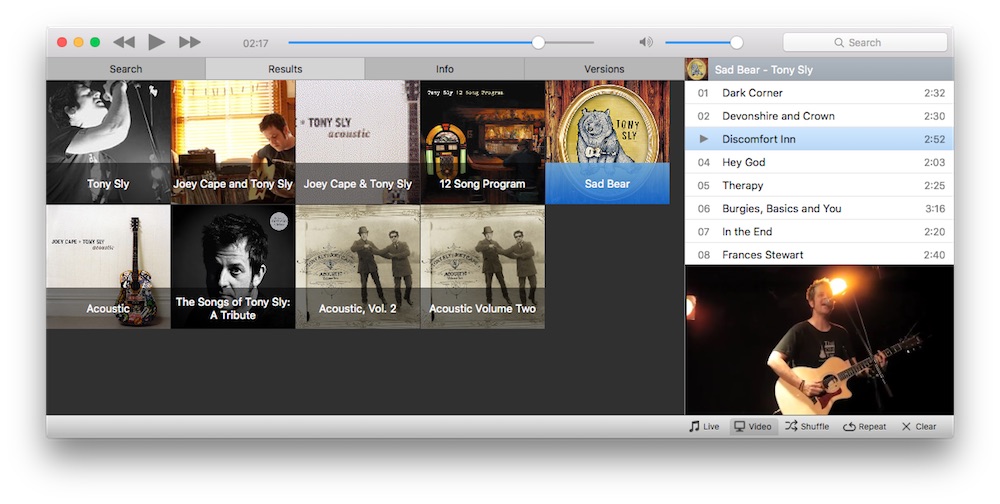
For 1.6 I focused on polishing and refreshing Musictube visuals so it looks at home on the latest OS X & Windows 10. Musictube is now fully HiDPI (aka Retina Display) compliant. Musictube got a new icon, more flat and hopefully more recognizable.

A bug has been fixed that prevented resuming playback after pausing the music for more than a minute or so.
The search autocompletion popup is back, so just type the first few letters of the artist name and accept a suggestion.
This release features significant updates in the libraries used by Musictube. It took a while but I finally managed to port Musictube to Qt 5 (I’m shipping the brand new Qt 5.7 on Mac & Windows builds). LibVLC has been updated to 2.2.4, Phonon to 4.9.0.
Starting with this version I’m dropping 32bit Linux packages. Hopefully everybody has moved to 64bit Linux nowadays. On the Mac, Musictube now works from 10.7 and above, dropping 10.6 support.
As usual, updated translations are contributed by users on Transifex.
It’s starting to get hot here, I think I’ll go for a swim with the kids at Lago di Vico. Have fun with Musictube!
This minor release includes stability fixes and better compatibility with older OS X versions. Thanks to those who helped me test Finetune.
Basically I’ve been hit by a classical stack overflow crash that was really difficult to track down. Another mistake I made, which prevented Finetune from running on older OS X versions, was building TagLib without specifying additional (and profoundly mysterious for the uninitiated) flags. Something like this (self-reminder):
cmake .. -DCMAKE_INSTALL_PREFIX=~/taglib-1.11\
-DCMAKE_BUILD_TYPE=Release \
-DBUILD_SHARED_LIBS=ON \
-DBUILD_FRAMEWORK=ON \
-DCMAKE_OSX_ARCHITECTURES="x86_64" \
-DCMAKE_OSX_DEPLOYMENT_TARGET=10.7 \
-DCMAKE_CXX_FLAGS="-stdlib=libc++ -std=gnu++11"
Have fun with Finetune and with your perfectly tagged music library.